Generative AI

Generative AI imagery is the creation of images using arti cial intelligence. Instead of searching a stock site, you type a description of what you want, and the system generates a new image based on your prompt.

AI-generation is powerful, but it does not understand Micron’s brand, values or visual standards unless we guide it carefully.


Please visit alias genai/ to find our Micron IT-approved generative AI tools.
 

When to use

Use AI when

  • No accurate image exists in the library
  • You need an abstract, conceptual image
  • You are illustrating an idea, not reality

Do not use AI when

  • Representing real Micron people, locations or products
  • Accuracy or trust is critical (PR, recruiting, investor-facing, legal)

Prompting


The basics


A prompt is simply the written description you give an AI to tell it what kind of image you want to create. Think of it as giving directions: the clearer and more speci c your prompt is, the closer the AI’s result will be to what you have in mind.

  • More detail helps the AI narrow its interpretation
  • Speci c context reduces randomness and visual errors
  • Clear intent leads to images that feel purposeful, not generic
  • Better prompts save time by reducing trial and error
  • Strong prompting improves alignment with brand standards
Prompt formats

Click to expand

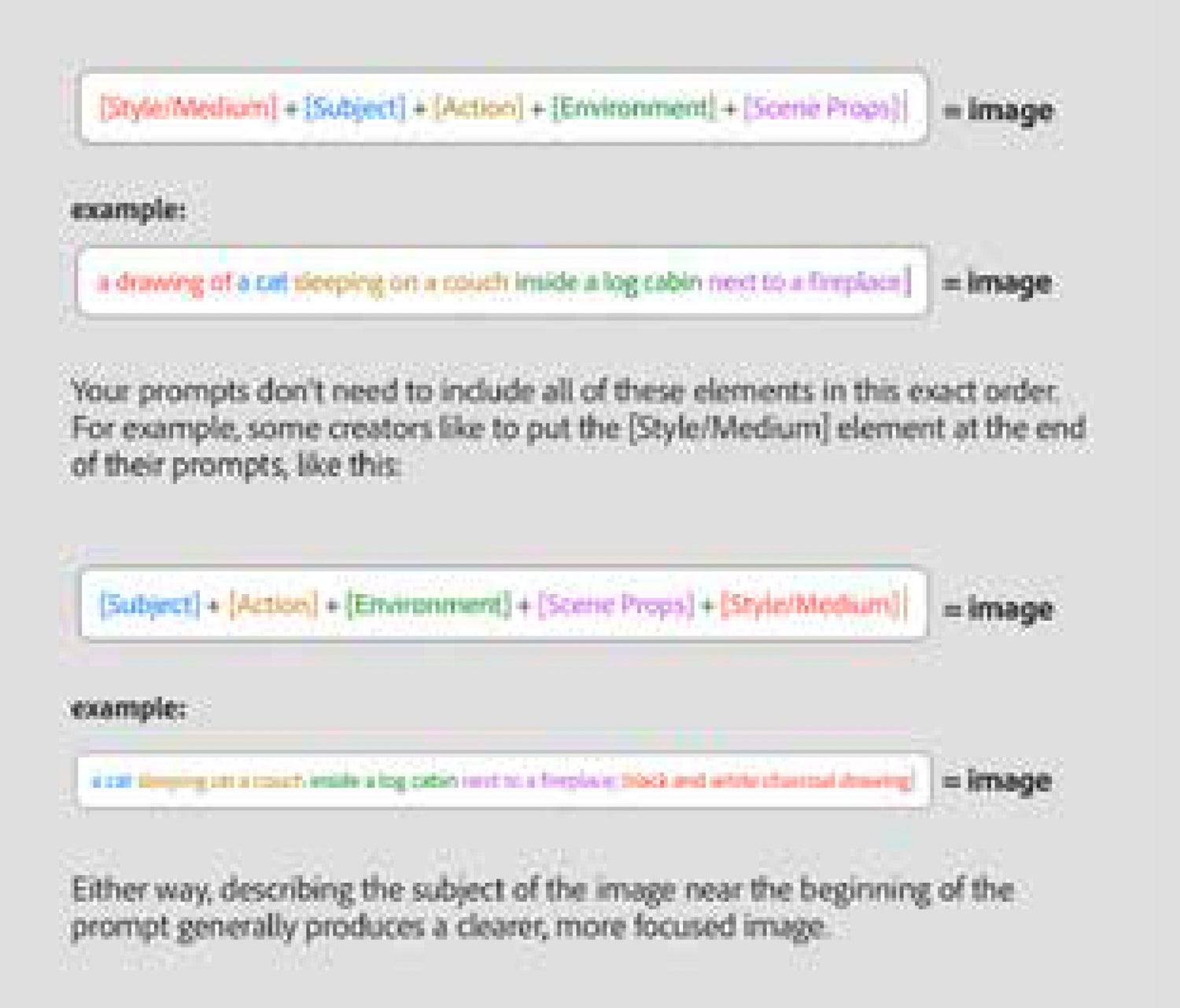
Prompt format


Imagine you’re standing in front of Leonardo daVinci's portrait of Mona Lisa and you’re trying to describe what it looks like to a friend over the phone. What are you going to say?

How are you going to describe the painting to your friend when they can’t see it? You might start by telling your friend, “It’s an oil painting.” And then you would probably go on to describe what Miss Lisa looks like, what she’s doing, which direction she’s looking and what the environment is like behind her. This series of descriptions is very close to how we write an effective text prompt.

Specificity


Being very specific with prompts leads to better results because AI relies entirely on your words to understand what you want to create. Clear details — such as the subject, style, mood or key elements — reduce guesswork and help the AI make more accurate decisions. When prompts are vague, the AI fills in the gaps on its own, which can lead to unexpected or unfocused results. Here are some examples


Element    

Example


Subject

What the image is primarily about.

An electric vehicle

An Hispanic male in his 30s

A windmill in an open field

Action / Pose

What the subject is doing or how it is positioned.

Walking toward the camera

Sitting at a desk working on a laptop

Standing with arms crossed

Composition

How elements are arranged within the frame.

Close-up portrait

Wide landscape shot

Rule of thirds composition

Camera Angle/Perspective

The viewpoint from which the subject is seen.

Eye-level perspective

Low-angle shot

Aerial/top-down view

Lighting

How the scene is illuminated.

Soft natural daylight

Cinematic dramatic lighting

Studio lighting

Color palette

The dominant or intentional color scheme.

Warm earth tones

High-contrast black and white

Pastel color palette

Mood/Emotion

The emotional feeling the image should convey.

Calm and peaceful

Bold and energetic

Serious and professional

Tone/Style

The overall creative or stylistic direction.

Minimalist

Futuristic

Vintage

Background/Environment

Where the subject is placed.

Modern office interior

Natural outdoor landscape

Solid neutral background

Setting/Location

A more specific or contextual place.

Urban city street

Wind farm at sunrise

Home workspace

Clothing / Styling

What the subject is wearing.

Business casual attire

Athletic wear

Traditional Japanese clothing

Facial expression (if applicable)

The subject’s expression or emotional cue.

Neutral expression

Confident smile

Focused and serious

Medium

How the image appears to be created.

Photography

Illustration

3D render

Art/Visual Style

A recognizable artistic approach.

Photorealistic

Flat vector style

Watercolor illustration

Lens /Focus

How sharpness and depth are handled.

Shallow depth of field

Sharp focus throughout

Background blur (bokeh)

Level of Detail

How complex or simplified the image should be.

Highly detailed

Clean and simple

Abstracted forms

Framing / Cropping

How much of the subject is visible.

Head-and-shoulders portrait

Full-body shot

Ultra-wide framing

Brand or Professional Context (optional)

Useful for corporate or marketing visuals.

Corporate marketing photography

Technology brand aesthetic

Sustainability-focused imagery


Large language models

Why use LLMs?

Large language models (such as Microsoft Copilot) can be used as helpful assistants when creating prompts for generative AI imagery. Instead of starting from scratch, you can describe your idea in simple terms and let the LLM help expand it into a more detailed and specific prompt.
 

  • Help suggest clearer, more concise descriptions that better translate ideas into prompts
  • Add relevant visual details that users may overlook
  • Organize concepts using art-direction and creative-brief language
  • Reduce guesswork by turning vague ideas into structured, actionable instructions
  • Improve prompt consistency across iterations and collaborators
  • Explore variations and alternatives quickly without rewriting from scratch
  • Adapt tone, style or level of detail based on the desired creative outcome
  • Provide the image-generation model with higher-quality inputs, often resulting in outputs that more closely match the original intent

Example

'A picture of a male nurse using a mobile phone at night in a city'


Convert this into a detailed prompt for use by a cutting edge technology company.


‘A photorealistic image of an adult male professional using a smartphone at night in a modern city environment. The subject is standing on a softly lit urban street with illuminated buildings and subtle neon reflections in the background. Shot at eye level with a shallow depth of field, the focus remains crisp on the subject while the city lights create a refined bokeh effect. The lighting is cinematic yet natural, combining cool ambient city light with gentle highlights from the phone screen. The overall mood is modern, connected and forward-looking, conveying technology as seamlessly integrated into everyday urban life.’


Image to text image

Click to expand

Image to text to image


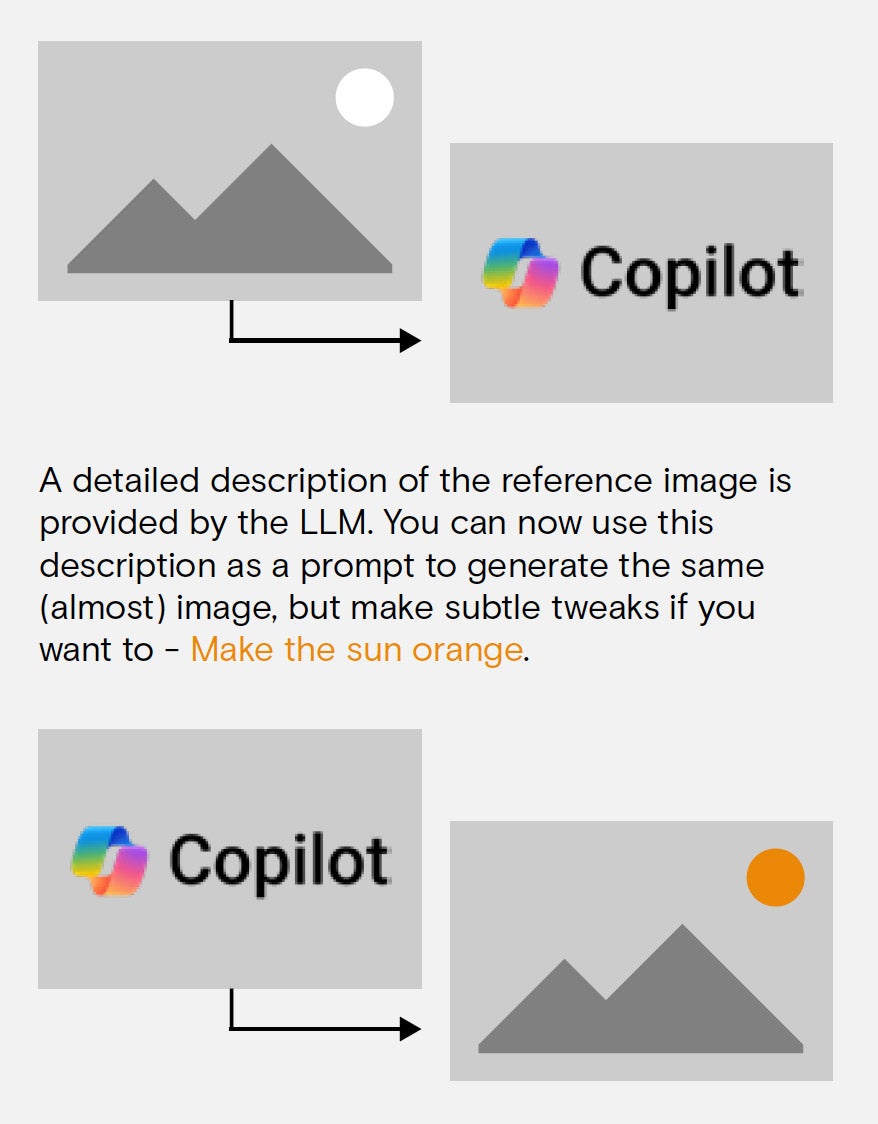
This is a technique you can use to convert an existing image into a prompt, so that you can regenerate it to create an alternate version. This is particularly handy if you want to create an alternative version of an existing on-brand Micron photo.

Here are the steps:
  • Upload a reference image to an LLM and ask it to describe the image as a detailed image-generation prompt
  • Review and re ne the prompt for clarity and relevance. Make any updates to the prompt to implement specifc changes you may want.
  • Paste the final prompt into your image generator to create the similar image.

Iterate by adjusting the prompt or requesting variations. It may take multiple trys to get the desired result. That’s the key with image generation, persistence is key!

Quick tips
  • No need to use complete sentences. Simple phrases are often enough.
  • Try using emotion and style words like “cozy” or “mysterious” to evoke mood.
  • Longer isn’t always better. 175 words or less can be very e cient.
  • Try not to use command phrases like “create an image of…” or “make me a…” These extra words are unnecessary, and they might add unwanted elements to your results.
  • Commas and semicolons are great ways to keep text prompts organized and legible.
  • Add asterisks around descriptions you want the generative model to concentrate on. (example: a *yellow*  ower).

On brand imagery

Our library images

Click to expand

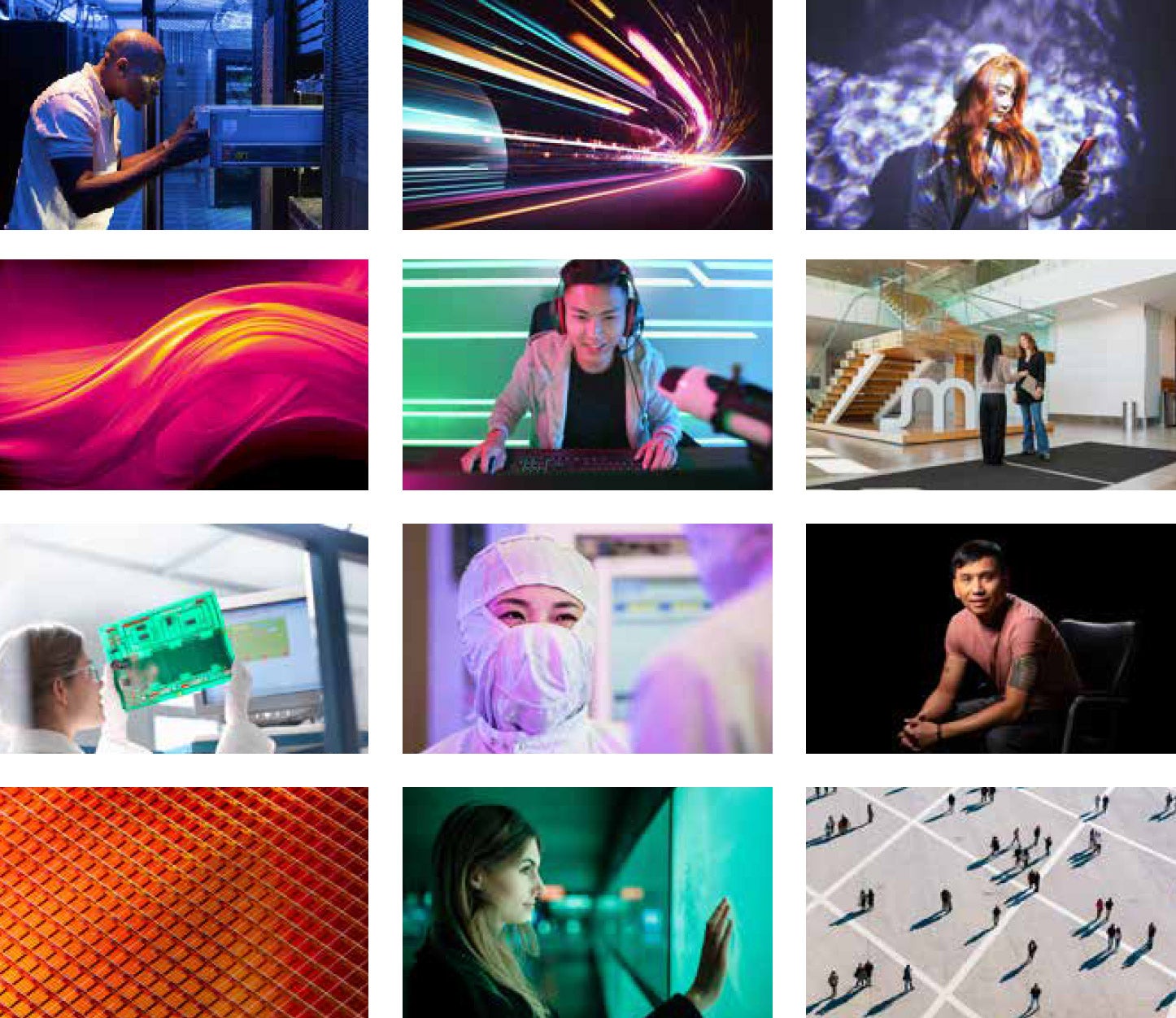
Our library


As a global leader in cutting-edge semiconductor and AI-enabling technologies, Micron sets the standard for innovation. Our marketing imagery must uphold that standard, communicating premium quality, technical sophistication and professionalism at every touchpoint. Check out our brand guides for on-brand visual guidance.

Here are some examples our own brand approved imagey (available on the Brand Portal) that showcase the quality that AI generated imagery should emulate.
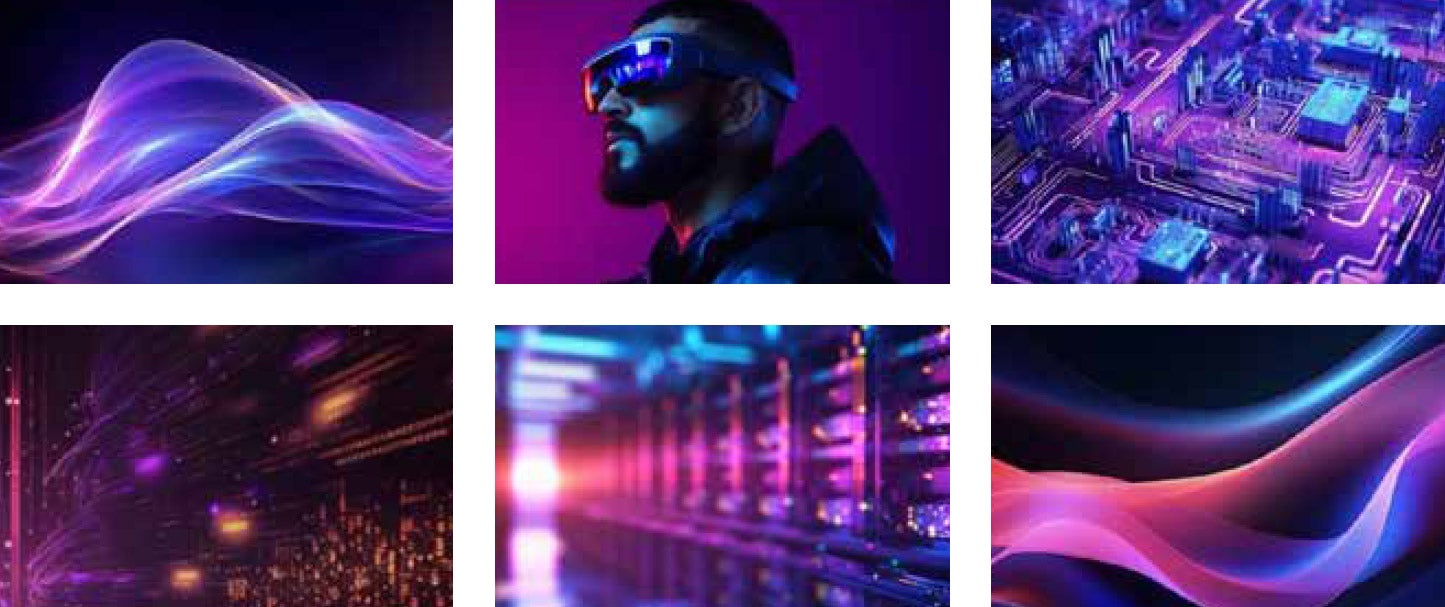

Images that show excessive purple

Click to expand

Avoid excessive purple


Micron’s purple is designed to be used sparingly as an accent color, mainly for navigation in documents and websites, and to add  are to data visualization.

Micron imagery does not have to make use of the color purple. It does not make an image more on-brand. We encourage team members to avoid prompting for purple results when using generative AI – instead use words such as ‘neon’, ‘iridescent’ or ‘holographic’ to achieve a colorful and high-tech aesthetic.

Avoid AI slop


AI slop—low-effort, poorly prompted generative AI output—is harmful in the corporate world because it trades short-term speed for long-term brand damage. Generic visuals, inconsistent tones, and obvious AI artifacts quietly erode trust, making a company appear careless, inauthentic, or unserious about quality.
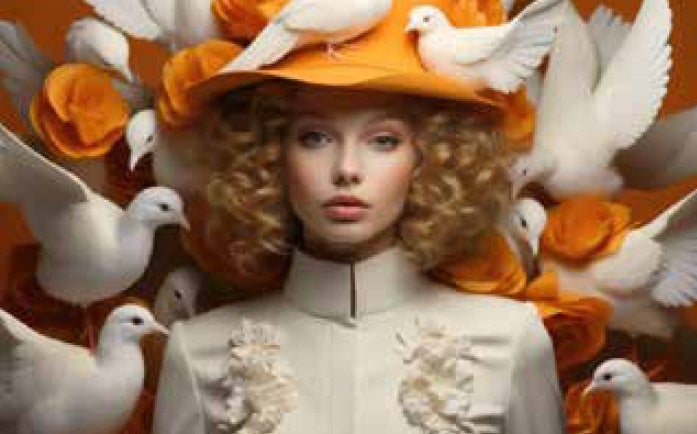
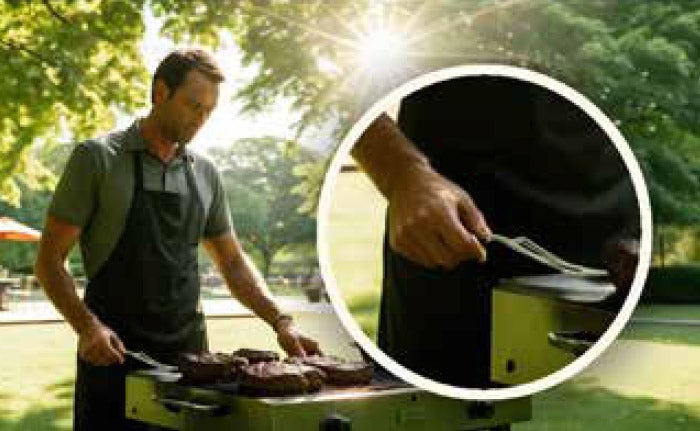
  • Compositions that are too perfect, symmetrical or staged
  • Concept art imagery
  • Conflicting light sources, unrealistic color
  • Glowing effects
  • Props that don’t make sense
  • Overly-styled editorial treatment
  • Clothing that looks fake and rigid
  • Incorrect number of fingers, hands/fingers merging
  • Fingers/hands with unnatural tapering
  • Arms/legs that are disproportionately long or short
  • Limbs appearing disconnected or subtly duplicated
  • Skin that appears wax-like, synthetic or porcelain
  • Mannequin-like expressions
  • Smooth/dry eyes that feel rendered
  • Eyes that do not match the facial expression
  • Gaze that feels unfocused, vacant or misaligned
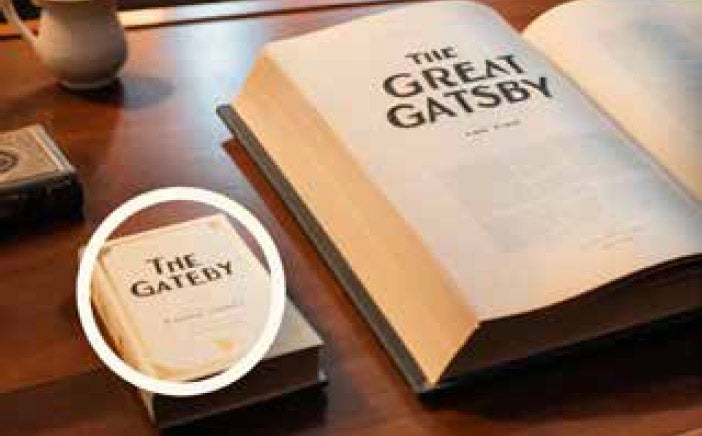
  • Distorted or warped letter shapes
  • Inconsistent stroke widths
  • Letters that morph
  • Misspelled words
  • Perspective problems